
Optimizing Your Network with Wireless Access Points Setup to Set Up Wireless Networks
Efficient network infrastructure is critical for businesses and data centers. Setting up wireless networks correctly ensures reliable connectivity, reduces downtime, and optimizes space. I focus on practical steps to optimize your network using wireless access points. This guide covers essential setup tips, device placement, and maintenance strategies.
How to Set Up Wireless Networks for Maximum Efficiency
Setting up wireless networks requires planning and precision. Start by assessing your environment. Identify areas with weak or no signal. Use a site survey tool to map signal strength and interference sources. This data guides access point placement.
Next, select the right wireless access points. Choose devices that support the latest Wi-Fi standards, such as Wi-Fi 6 or Wi-Fi 6E. These offer better speed, capacity, and security. Consider the number of users and devices to determine how many access points you need.
Install access points strategically. Avoid placing them near metal objects, microwaves, or thick walls that block signals. Mount them on ceilings or high walls for better coverage. Use a wired backhaul connection to link access points to your network switch. This reduces latency and improves performance.
Configure your network settings carefully. Set unique SSIDs for different areas or user groups. Use strong encryption like WPA3 to secure connections. Enable band steering to direct devices to the best frequency band (2.4 GHz or 5 GHz). Regularly update firmware to patch vulnerabilities and improve features.

What is a Wireless Access Point Used For?
A wireless access point extends your wired network by adding Wi-Fi capability. It allows multiple devices to connect wirelessly to the network. This is essential in environments where running cables is impractical or costly.
Access points improve network coverage and capacity. They handle traffic from many devices simultaneously. This reduces congestion and maintains fast speeds. In data centers and business environments, access points support mobile devices, IoT equipment, and guest networks.
They also enable seamless roaming. Users can move around without losing connection. This is critical for operations that require constant connectivity, such as inventory management or video conferencing.
Access points can be standalone or part of a managed system. Managed systems allow centralized control, monitoring, and troubleshooting. This simplifies network management and enhances security.
Best Practices for Wireless Access Points Setup
Proper wireless access points setup is key to network optimization. Follow these best practices:
Conduct a thorough site survey - Identify coverage gaps and interference.
Use high-quality access points - Invest in devices that support current standards.
Optimize placement - Mount access points in open, elevated locations.
Use wired connections for backhaul - Avoid wireless links between access points.
Segment networks - Separate guest and internal traffic for security.
Enable security protocols - Use WPA3 and strong passwords.
Monitor network performance - Use management software to track usage and issues.
Plan for scalability - Choose equipment that can grow with your needs.
Regularly review your setup. Adjust access point locations and settings based on usage patterns and new devices.

Troubleshooting Common Wireless Network Issues
Wireless networks can face issues like slow speeds, dropped connections, and interference. Here are steps to troubleshoot:
Check signal strength - Use a Wi-Fi analyzer to find weak spots.
Reduce interference - Change channels to avoid overlap with neighboring networks.
Update firmware - Fix bugs and improve compatibility.
Verify device compatibility - Ensure client devices support your Wi-Fi standards.
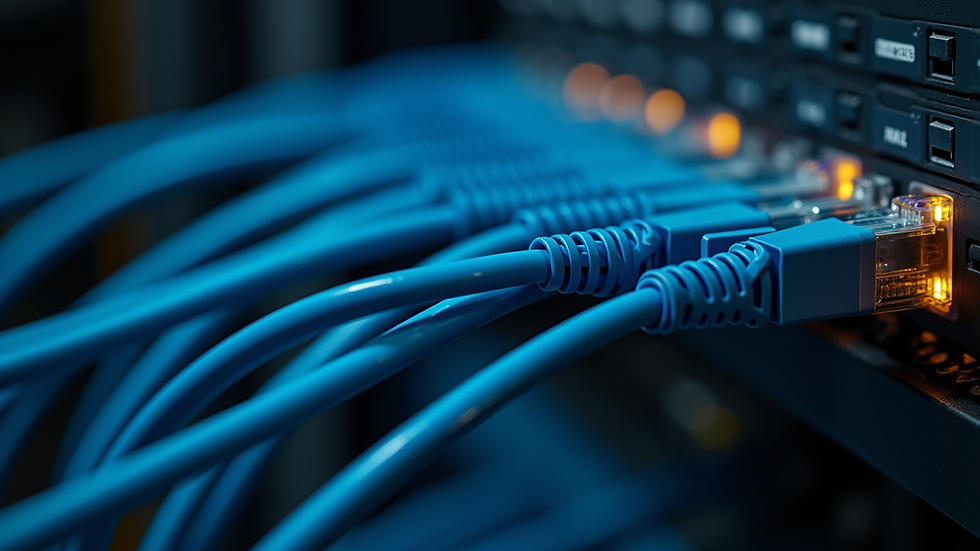
Inspect cabling - Faulty Ethernet cables can cause connectivity problems.
Restart access points - Sometimes a simple reboot resolves issues.
Adjust power settings - Too high or low transmit power can affect coverage.
Document issues and solutions. This helps identify recurring problems and improves future setups.
Enhancing Network Performance with Advanced Features
Modern access points offer features that boost network performance:
Band steering - Directs devices to the less congested 5 GHz band.
Load balancing - Distributes clients evenly across access points.
Quality of Service (QoS) - Prioritizes critical traffic like voice or video.
Mesh networking - Creates a seamless network with multiple access points.
Guest networks - Isolates visitor traffic from internal resources.
Implement these features based on your network needs. They improve user experience and security.
Optimizing your network with wireless access points setup is essential for reliable, scalable connectivity. Follow these guidelines to enhance coverage, security, and performance. Proper planning and maintenance reduce downtime and simplify network management. This approach supports your business goals by ensuring your network infrastructure is robust and future-ready.


Comments